What Programs Do Crochet Designers Use?
There are several programs you can use for making Crochet Design PDF's or documents for crocheters to use. Over the years, I have morphed using 3 programs in total. Let me cover those bad boys and you can make up your mind.
Program 1 - Write The Pattern Online
You can write the pattern directly on a blog or whatever on a website. We used to do that until one day, the print-friendly option was detected to have malware. That ended that honeymoon instantly and we turned off the printer-friendly option. This option eliminated out the ads but at the risk of consumers contracting a virus from us, we disengaged immediately when our alarm went off in our back end.
This option is still used today but crocheters end up printing the ads that appear with the patterns. It's an ink sucker and a page pattern can be 2 or more pages.
Some designers give the option for pay download to get the PDF with a small payment and have it sent to you.
We have about 100 patterns written on our website that still need a PDF to be written. We are writing them based on demand or popularity. Some patterns we have written are ummm, not seeing the light of day and writing the PDFs is probably a waste of time. So most popular first eh!
Program 2 - Pages or Word Processing
We then switched to using Pages which like a word processing option. Yes, I can get away with that program and save the finished document by exporting it as a PDF. Works okay but sometimes the patterns need extra diagrams and placing them into the document is like visiting a dentist for a root canal! You fight with the program to get what you need. For me, I like putting in extra tips and this option can cause me to want a salad! I mean, not in a good way!
Program 3 - InDesign by Adobe
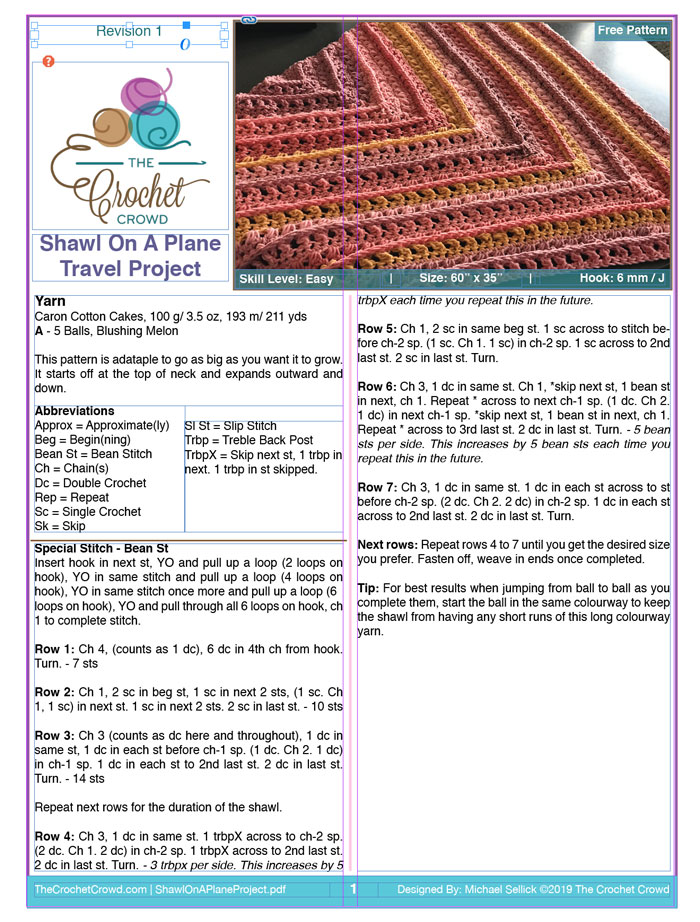
Currently and our most preferred method is using Adobe InDesign. We picked up this program and is a monthly fee to have that is factored into the cost of our business. Daniel learned this program through self-help Adobe InDesign tutorial hosts on YouTube. He's since taught me how to use it. I then ended up teaching Jeanne how to use this program.
The learning curve is not too steep but the advantages are fabulous.
The hardest part of this program is coming up with a layout that you love. We have morphed our templated 3 times since we started using it. Everything is in a box and things can be changed in and out quickly.
We don't write out patterns in this as we write it in another program and then copy and paste to this once we are ready.
This program can save it in multiple formats such as a Picture or PDF. All of our current patterns, newsletters and books are written in this program.
Pre-Planning A Design
For myself, I design in two parts.
Part 1
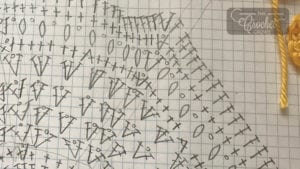
I design and write out the pattern in a crochet diagram format. I do up the entire design in crochet and then proceed to Part 2.
Part 2
- We use Google Drive, to write our patterns out.
- The drive is shared with my team where my testers can view my work in real-time and write notes on the pattern without changing my pattern.
- For myself, my designs tend to be complex requiring double-checking for certain elements. I can leave notes in my pattern for me to find later. If I have made a decision, I can leave my notes in the pattern that the public will never see.
- The advantage of Google Drive is that there is an APP for it. If I get inspiration or forget my laptop or not at my desk, I can access the pattern from my phone and make my notes or changes if I see fit.
- Once done, I can save it in different formats.
Transferring Pattern to InDesign
Once I am done designing and ready, I then paste and copy the content from the Drive to InDesign. It doesn't save the font settings. So I have to go over the pattern in InDesign to recolour or change fonts to bold or whatever.
Writing a Crochet Pattern
A Designers Final Protection
It's not uncommon for the public to go into a fit about if a designer has copyrighted something. So it's up to the designer to have their butt covered by having documentation of their process. Your Crochet Designer Information.
I learned this early on when the public pitted me against another designer. Neither of us was the original designer and we filmed the same pattern from the same source which we had permission to use. From this really annoying confrontation and unnecessary drama, I learned that I need to protect myself with my notes.
When Jeanne came on board, first words out of my mouth, start a Crochet Design Journal. It has come in handy once for her when another designer accused her of stealing. Truly upsetting when that happens but the crochet journal can save you.
- Take lots of photos of your notes and special stitchwork.
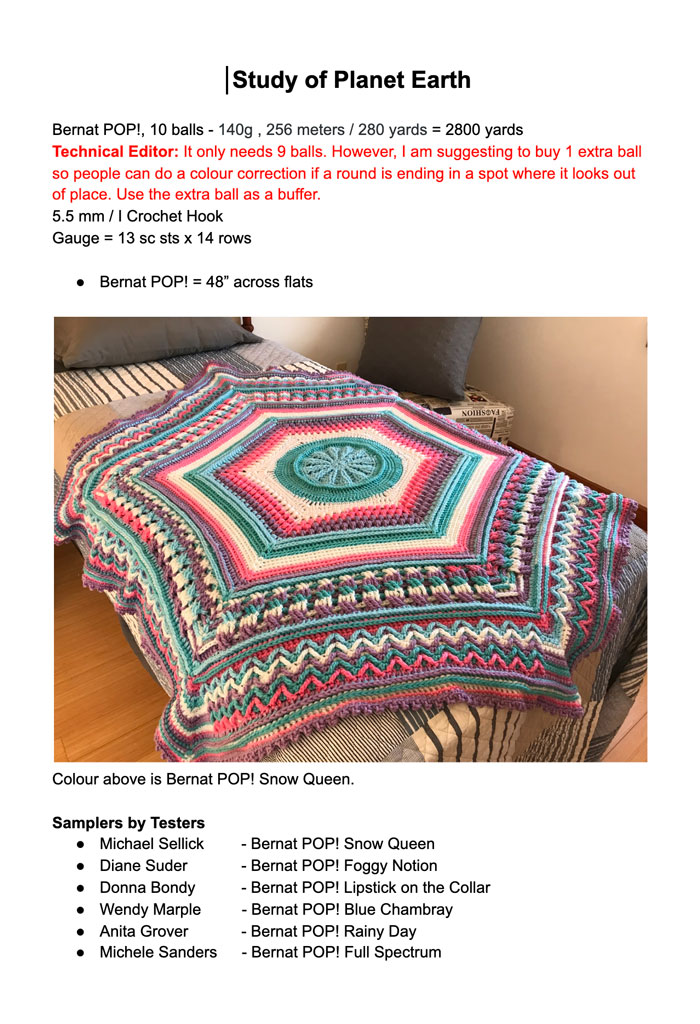
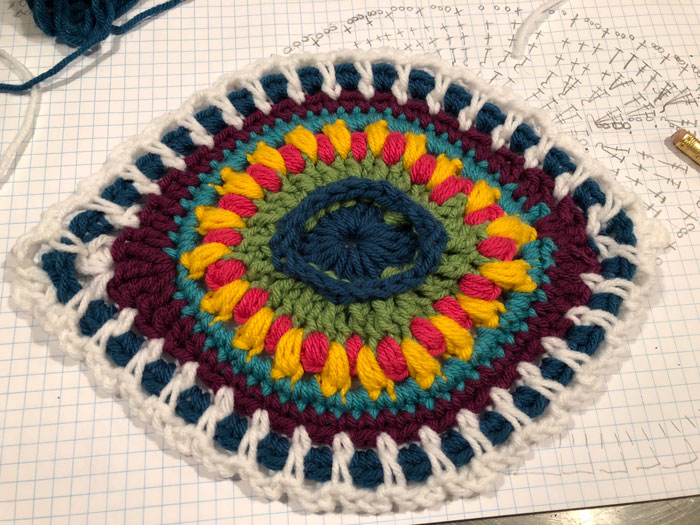
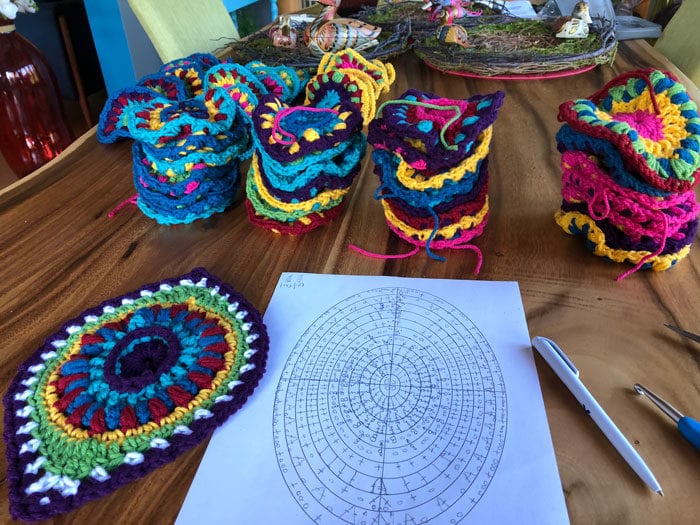
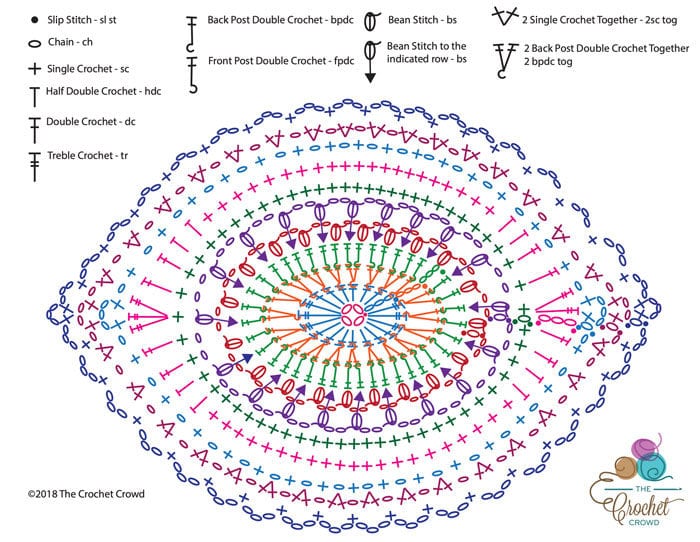
- Your notes will show errors and changes you make. See this Ornament Afghan Motif, it wasn't used during the final writing of the pattern. The look wasn't working out for the joining. However, the diagram used was close and I ended up re-writing the diagram to fix what was wrong. I ended up having Daniel make me an OVAL Line Diagram that I re-drew the stitches fixing where I had gone wrong for the final. Once I had drawn it twice, Daniel then converted my final drawing to a computer format for you to have.
- Scan your working notes.
- File everything together on your computer so you have a record of your designing.
For me, it is rare for me to design something right out of the head without changes. So there is generally a record of thought processes and ideas in motion. If someone accuses me of copyright and it ends up going to legal positioning, I have my notes on-hand to show my work.
Remember the math teacher would say, they don't want to see the final answer, they want to see you doing the notes to get to the final answer, crochet designing is the same way. I hate to admit the math teacher was right, but when they are right, they are right eh!
Suzanne Tatham says
I read the whole article because reading what you write is like being there with you and you make me chuckle.
Cindy Foster (louwho) says
This is amazingly helpful!! What resources would you recommend (books, online tutorials) for someone new to pattern designing.
Jeanie Newton says
Ty so much for all that you do for us hookers!! You put my mind at ease when I see everything designed and stretched out as you did in this presentation. You are my superhero!!! I’ve learned more from you these past 6 years than my whole lifetime of crocheting and I’m 71! Please keep it up I love your teaching method and Dans input also. God Bless both of you. I hope one day I can meet both of you!!!